
How to Create a Payment Link
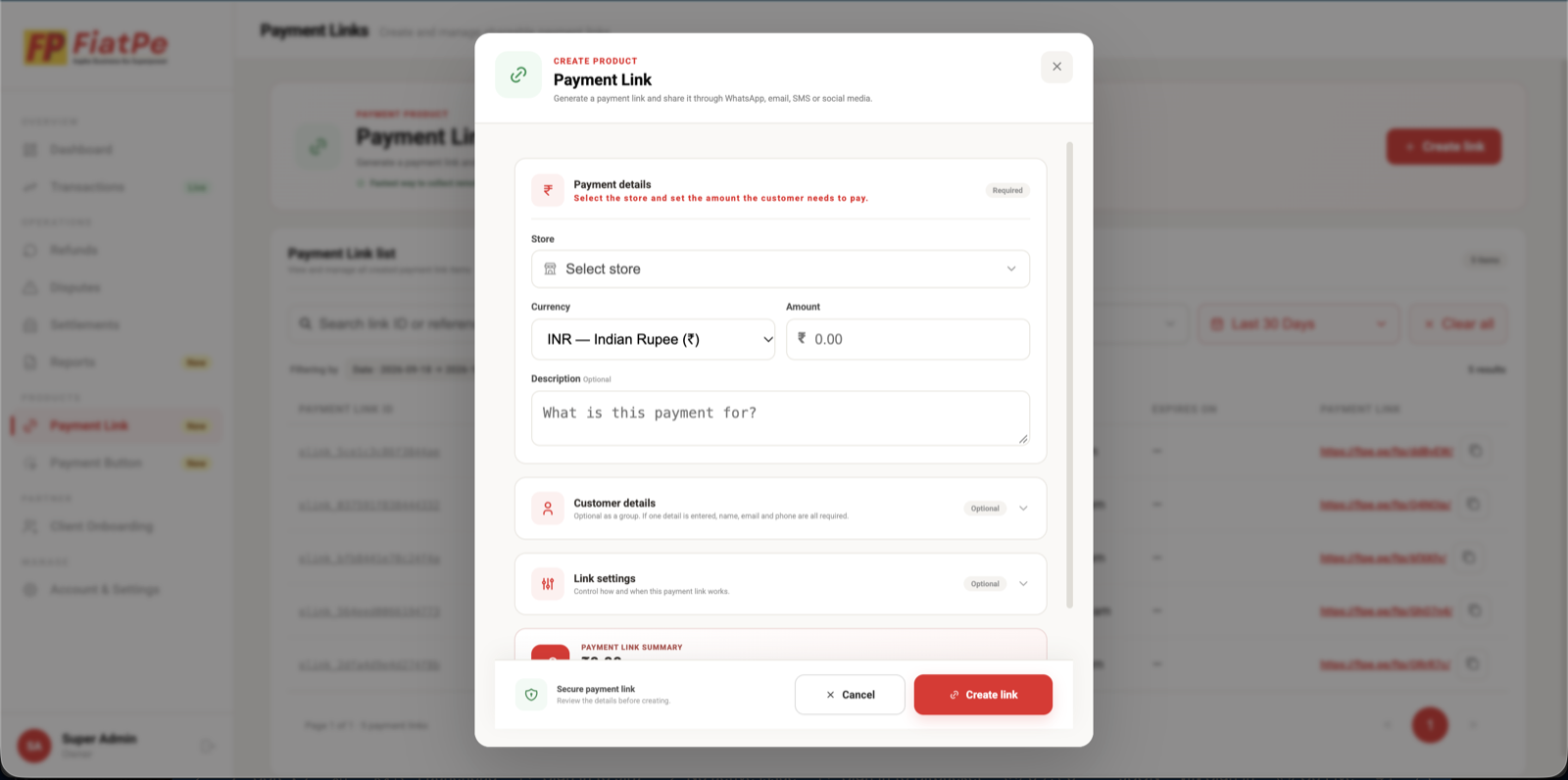
Follow the illustrated FiatPe dashboard steps to configure payment details, customer information, partial payments, and expiry.
How to create a Payment Link
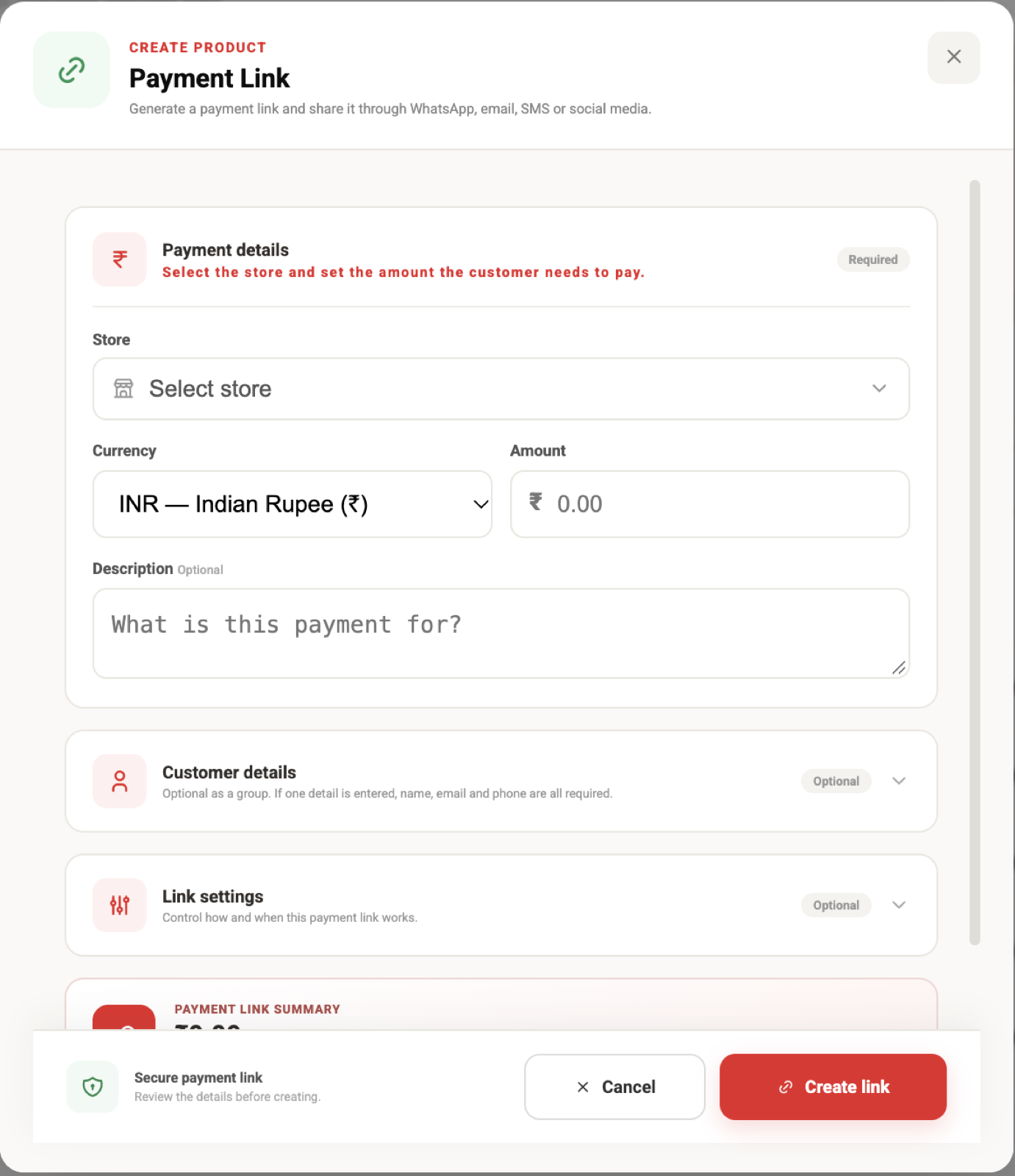
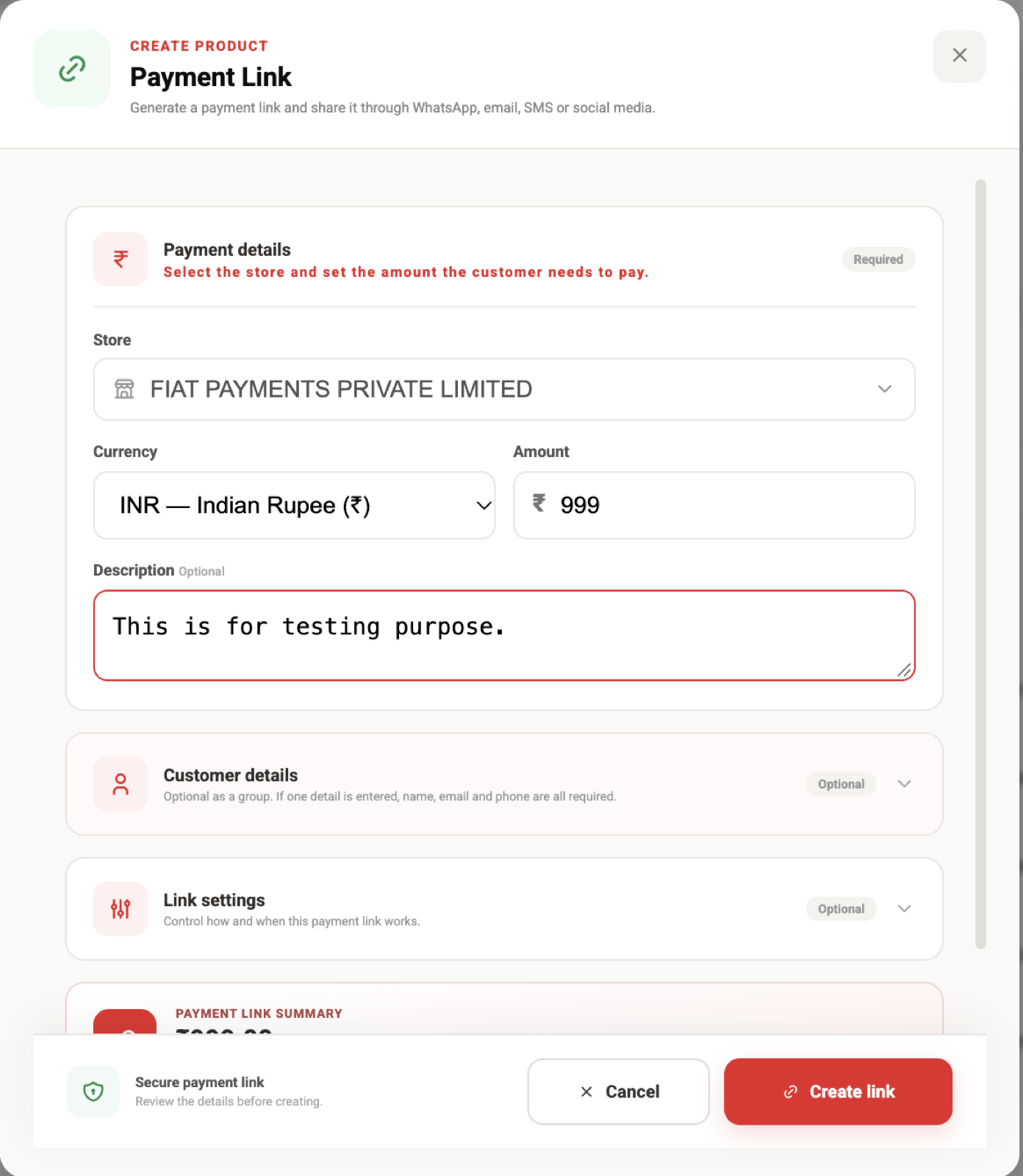
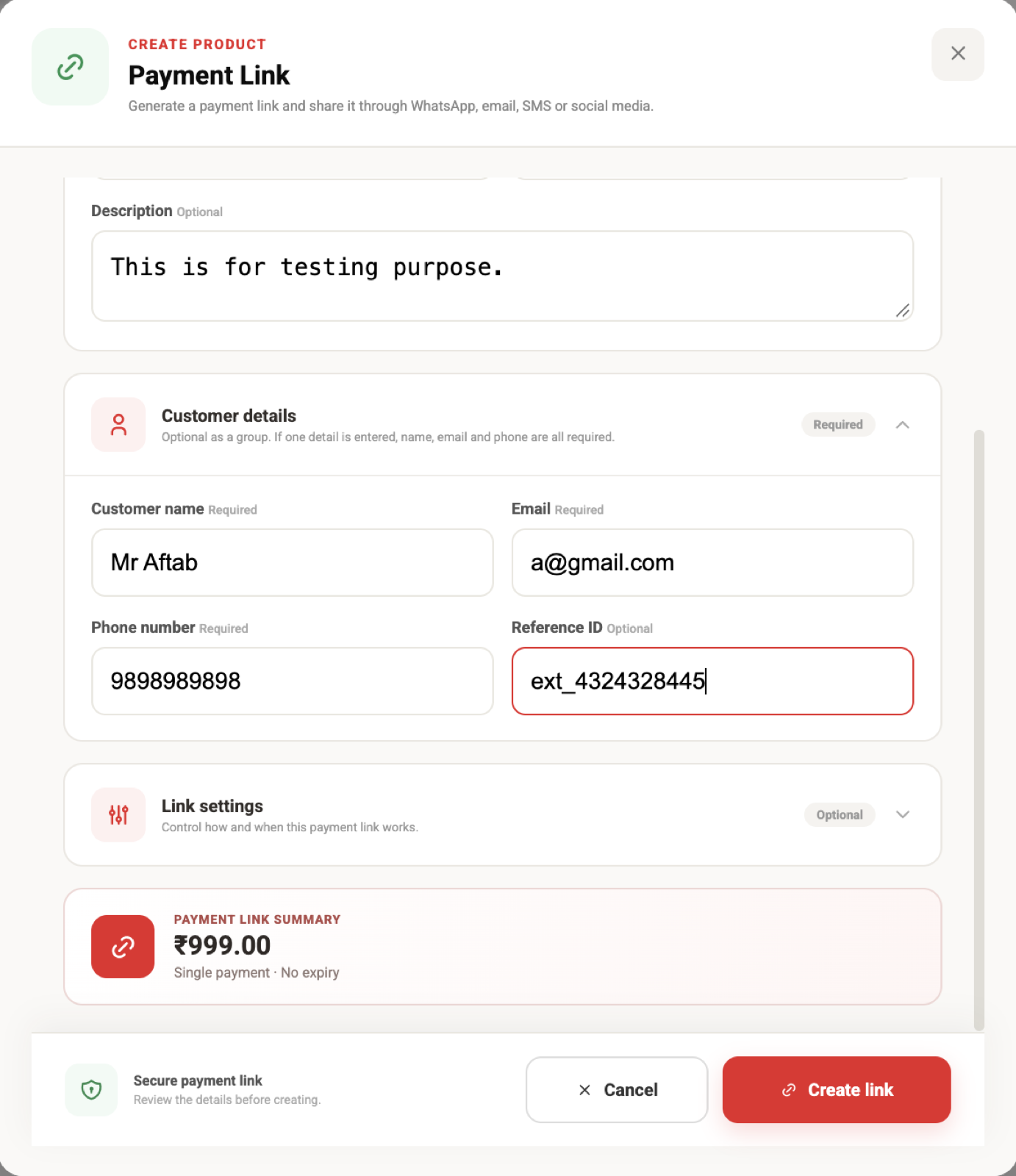
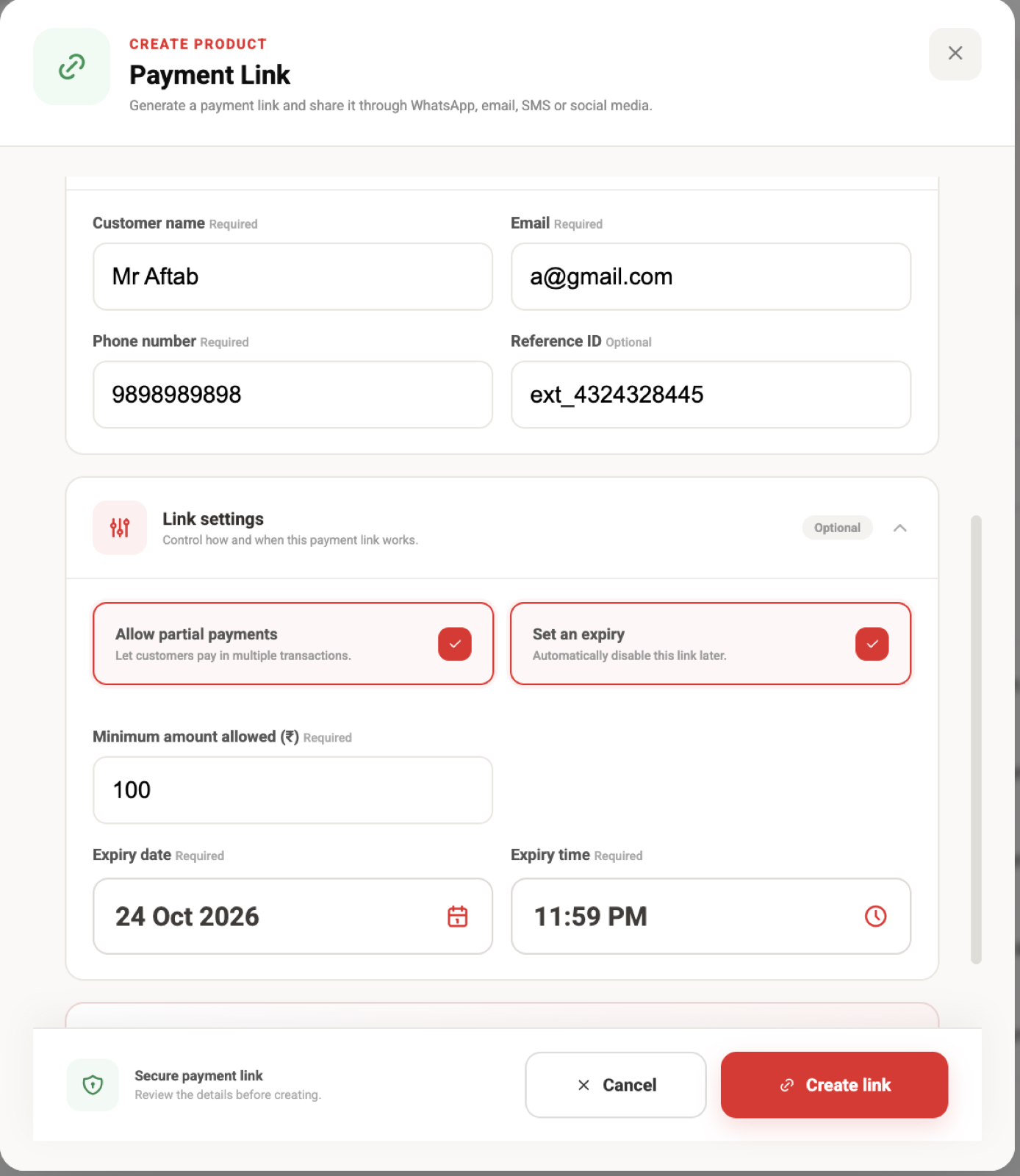
Open Payment Links in the FiatPe dashboard and select Create link. Complete the following sections before creating the secure URL.
Before you share the link
- Confirm the store, currency, and amount are correct.
- Use a description the customer can recognise.
- Verify the minimum partial amount does not exceed the total payable amount.
- Check the expiry date, time, and timezone used by your business.
- Send the link only through a channel you trust.