
Partial Payments
Accept rent, monthly grocery dues, invoices, fees, and other large bills through multiple payments using one FiatPe Payment Link.
Accept part payments with one Payment Link
FiatPe partial payments let a customer pay a larger bill through multiple successful transactions instead of paying the full amount at once. The same Payment Link keeps the original payable amount, amount paid, outstanding balance, minimum payable amount, and payment history together until the collection is completed or the link expires.
Provide goods, access, or a final receipt only according to your business rules and after the outstanding balance reaches zero.
Partial payment use cases
How to enable partial payments
Enter the total payable amount
Create the Payment Link for the complete rent, grocery bill, invoice, fee, or order amount.
Enable partial payments
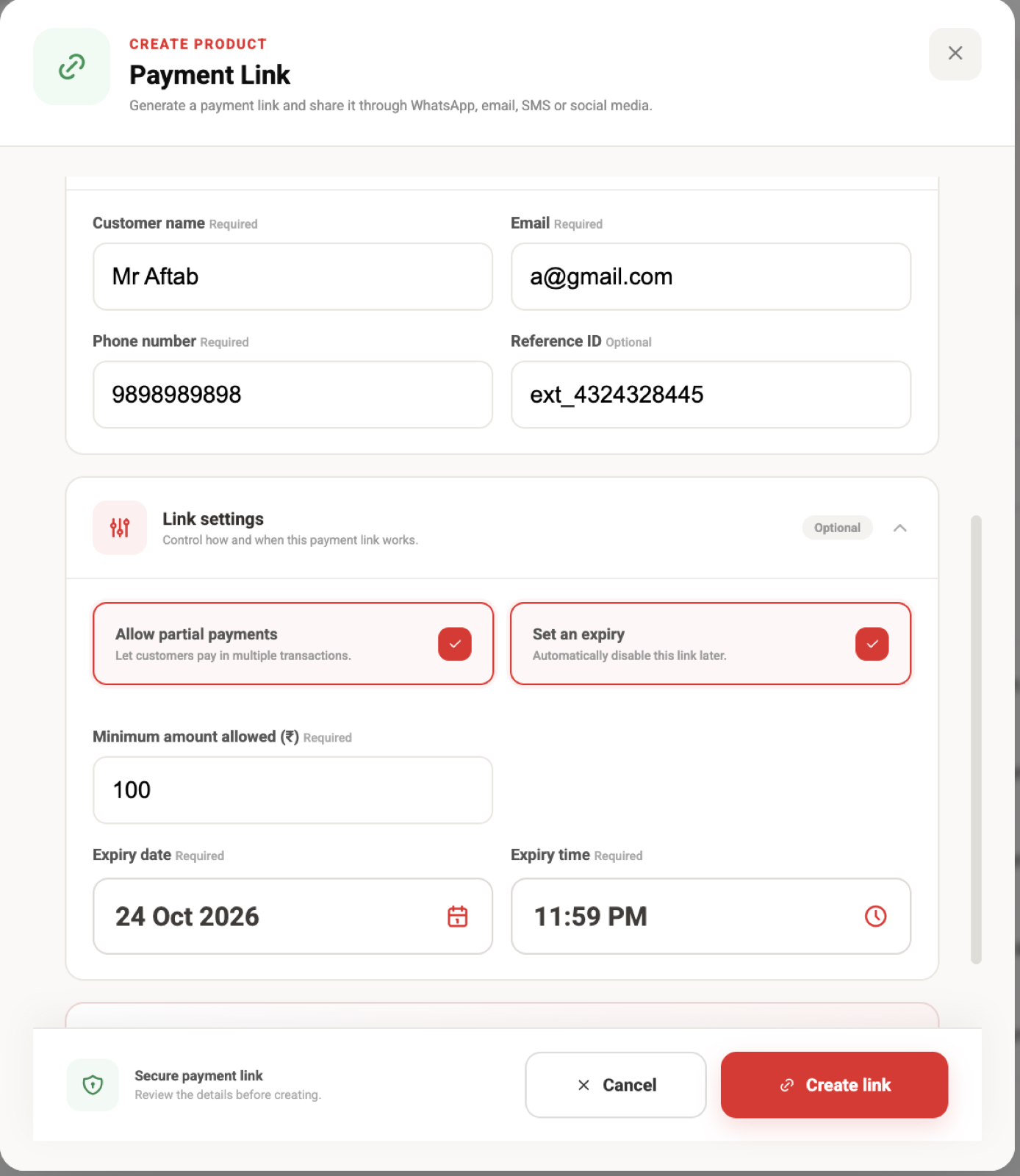
Open Link settings and turn on Allow partial payments.
Set the minimum payment
Enter the smallest amount the customer may pay in an eligible partial transaction.
Set a deadline
Optionally add an expiry date and time that matches the payment due date.
Create and share
Review the summary, create the link, and send the same URL to the customer.
Example: collect ₹15,000 rent in parts
The complete amount requested for the month.
The smallest permitted payment while more than ₹3,000 remains.
Paid successfully; outstanding balance becomes ₹10,000.
Total paid becomes ₹9,000; outstanding balance becomes ₹6,000.
The remaining balance is paid and the collection is complete.
If the remaining balance is lower than the configured minimum amount, the customer should be allowed to pay that complete remaining balance as the final payment.
What the customer sees
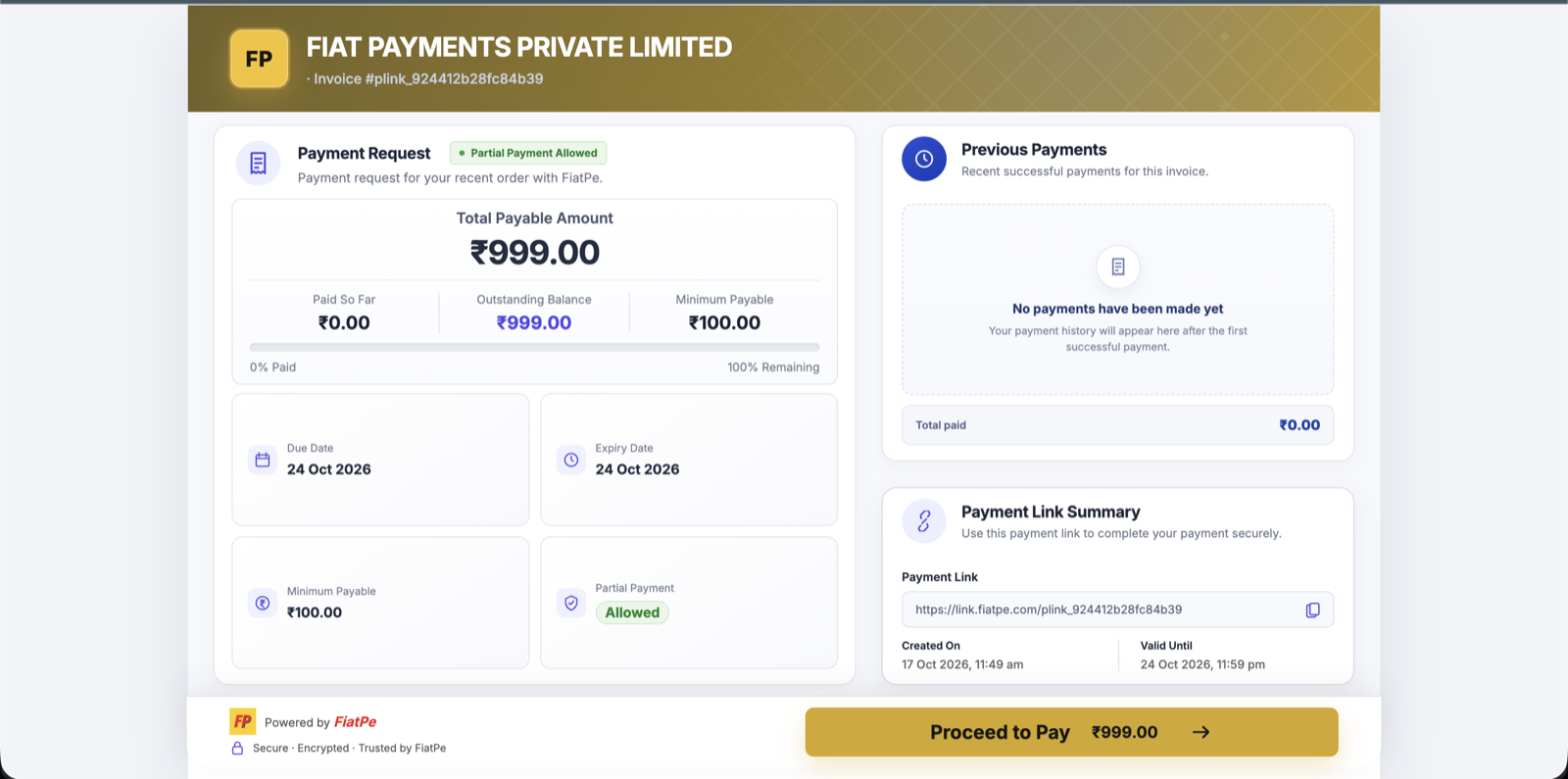
The hosted payment page makes the collection transparent by showing the total payable amount, paid amount, outstanding balance, minimum payable amount, expiry, and previous successful payments.
Collection and reconciliation guidance
- Use one stable reference ID to connect every transaction to the same rent bill, grocery account, invoice, or fee record.
- Update the paid and outstanding amounts only after each payment is confirmed successful.
- Expect webhook retries and process every payment idempotently so the same transaction is never counted twice.
- Do not mark the overall bill paid until the verified successful total equals the requested amount.
- Communicate the minimum amount, due date, expiry, and any late-payment policy before sharing the link.
- Never use partial payments as credit unless your business is permitted to offer that arrangement and your customer terms clearly explain it.