
Manage and Share
Find, filter, share, and track FiatPe Payment Links, including partial-payment and hosted-page behavior.
Manage and share Payment Links
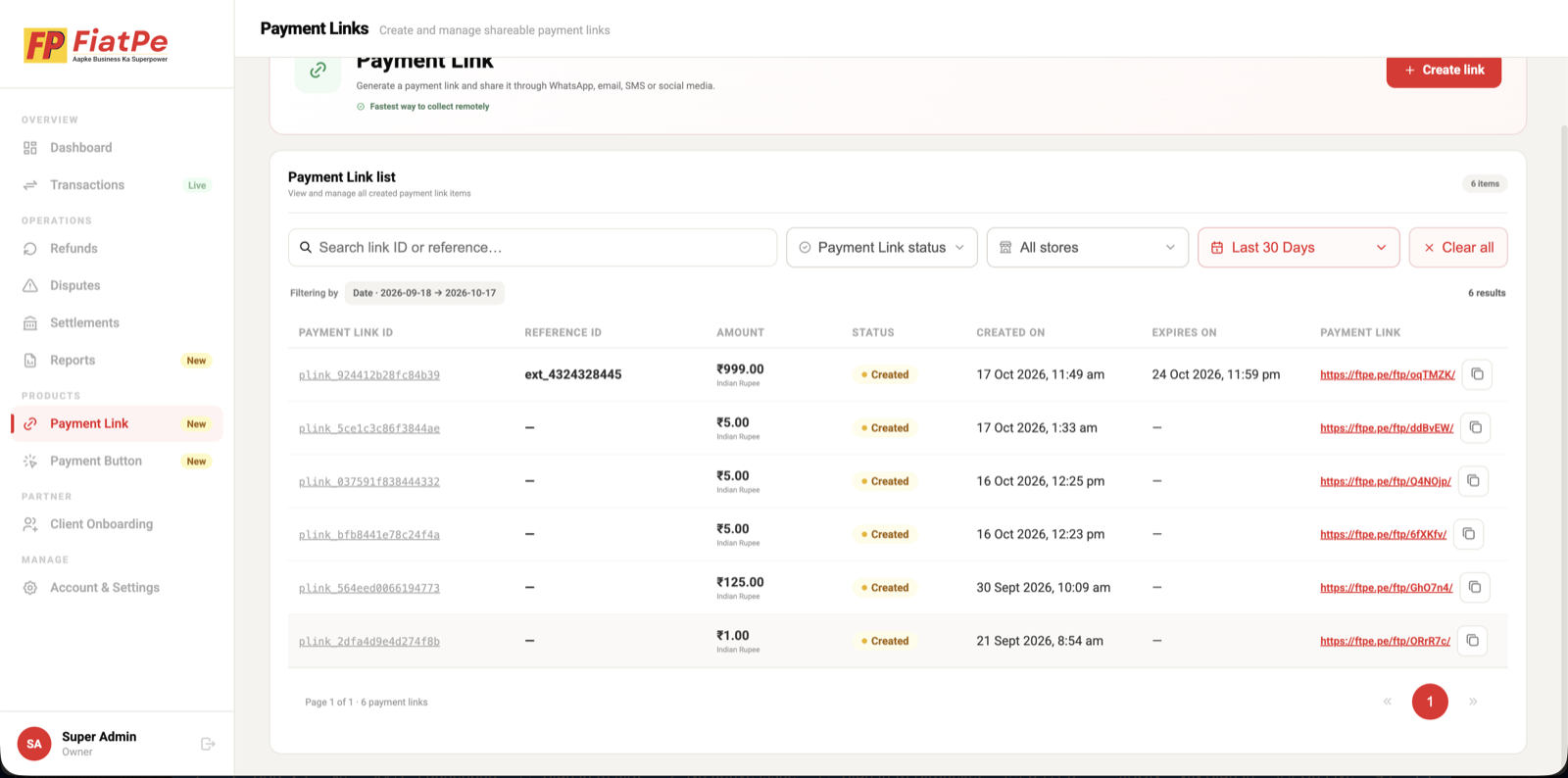
The Payment Link list gives your team a single place to search links, filter by status or store, review dates and amounts, and copy the customer-facing URL.
Customer payment experience
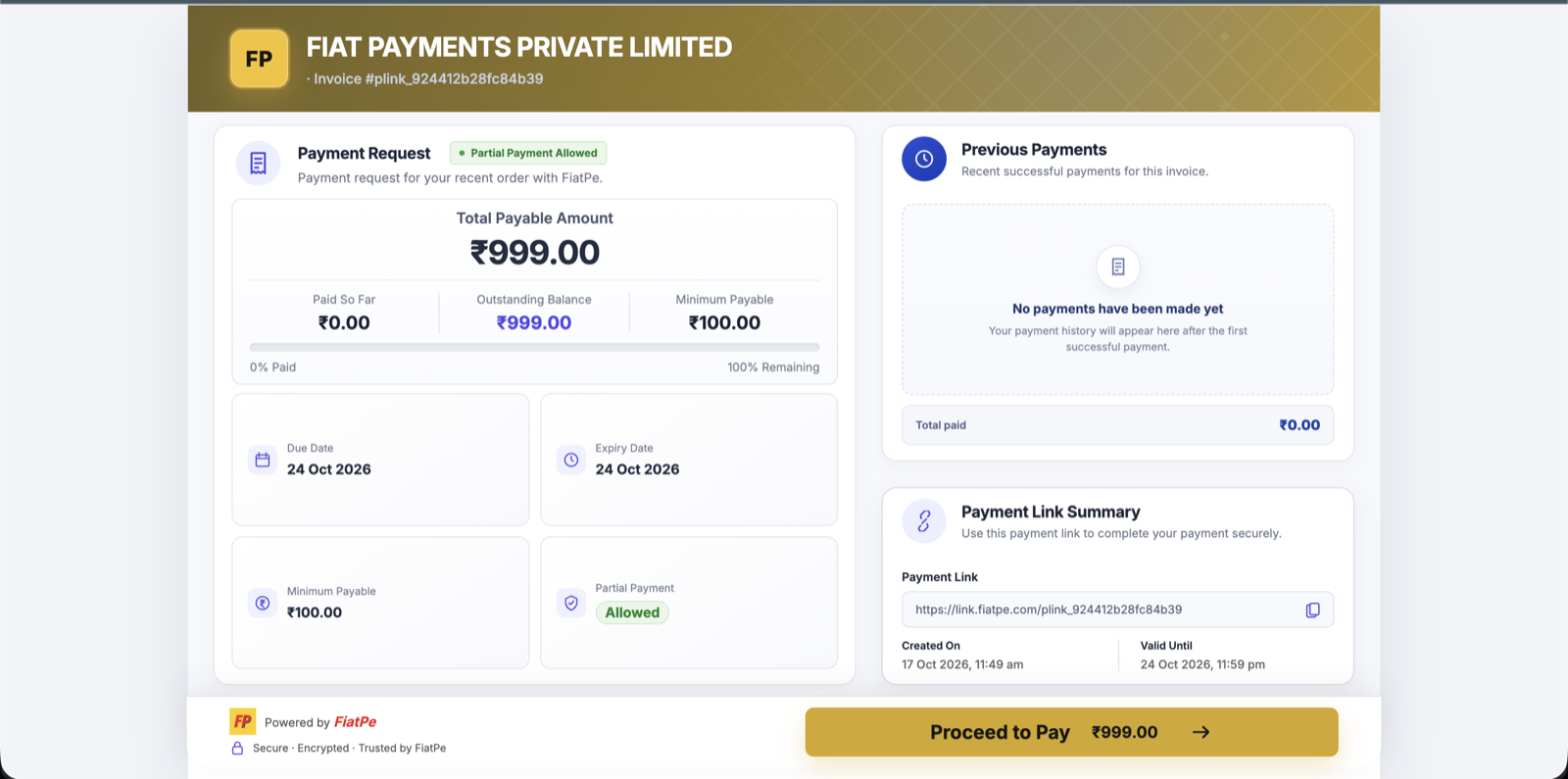
The hosted page shows the total payable amount, paid and outstanding balances, minimum payable amount, expiry information, and previous successful payments when partial payment is enabled.
Payment and link status
- A created link can accept payment until it is paid, cancelled, or expired according to its configuration.
- For partial payments, reconcile every successful transaction against the same Payment Link and outstanding balance.
- Do not treat opening the link or reaching the checkout as proof of payment.
- Use authoritative payment status and webhooks before fulfilling an order or issuing access.
- Avoid collecting card numbers, CVV, UPI PINs, or passwords outside FiatPe Checkout.